The flipped classroom model…is it working?

Last week’s blog post focused on an active learning strategy, the flipped classroom, that is currently receiving a great deal of attention. As with any new teaching/learning model that receives a great deal of attention or hype, questions loom. Particularly…does it work?

Dr. Steve Nace (UTHSC College of Medicine) recently shared a series of posts with us from AM Rounds, the official blog of Academic Medicine (Journal of the Association of American Medical Colleges). In this series of posts, faculty and students shared their thoughts and perspectives on a flipped classroom experience that took place in the North Carolina Eshelman School of Pharmacy. Though challenging, all participants viewed the overall experience as a success.

To view this blog series and read more about the North Carolina Eshelman School of Pharmacy’s flipped classroom experience go to: http://academicmedicineblog.org/tag/behind-the-scenes-of-a-flipped-classroom-redesign/.

What other evidence exists related to the successes and challenges of flipping the classroom? What do other faculty and students who have participated in a flipped classroom environment say about their experience? Check out the articles below to learn more.

Nursing Faculty Explore Flipped Classroom and Effect on Student Outcomes
https://news.tamhsc.edu/?post=nursing-faculty-explore-flipped-classroom-and-effect-on-student-outcomes

How to Make the Most of the Flipped Classroom
http://campustechnology.com/articles/2014/01/15/how-to-make-the-most-of-the-flipped-classroom.aspx

Flipped Classroom Model Taking Off, Thanks to Online Video
http://www.streamingmedia.com/Articles/News/Online-Video-News/Flipped-Classroom-Model-Taking-Off-Thanks-to-Online-Video-93359.aspx

7 Things You Should Know About Flipped Classrooms (EDUCAUSE)
http://net.educause.edu/ir/library/pdf/eli7081.pdf

Do Teaching and Learning Simply Equal Transferring and Receiving Information?

We’ve all heard the term, sage-on-the-stage, used to refer to educators who utilize lecturing as the main model of information delivery in the face-to-face classroom. It seems as though lecturing has been a fixture in the classroom for as long as there have been teachers and students in classrooms. However, many in education (and even outside the field) are now wondering if lecturing is the most effective method of teaching and learning in the current digital age? Are there other means of sharing content and information that in the past were typically delivered during face-to-face class meetings? If so, can class time be restructured to include different methods of teaching and learning including active learning activities? Some believe that the flipped classroom model is the answer to these questions.

The flipped classroom is a teaching and learning model that has been around for many years. However, technology has put a new spin on flipping the classroom, and many in education are beginning to take note based on the success stories shared by other educators.  Eric Mazur, Balkanski Professor of Physics and Applied Physics at Harvard University, began developing a teaching method known as Peer Instruction in 1990. This method focused on transferring the large lecture classroom into a more interactive teaching and learning experience and proved to be very successful in his introductory physics course. His success with the Peer Instruction model has since spread far beyond his Harvard classroom, and has led Dr. Mazur to become a nationally and internationally recognized expert in the flipped classroom model.

Interested in learning more about the flipped classroom model and the work of Dr. Mazur? Visit our 2014: The Year of Active Learning at UTHSC page at https://academic.uthsc.edu/faculty/2014.php for links to additional resources and information.

“I thought I was a good teacher until I discovered my students were just memorizing information rather than learning to understand the material.” – Dr. Eric Mazur

2014 – The Year of Active Learning at UTHSC

We’ve all seen the statistics from various research studies that report a person’s attention span in a lecture setting begins to fade within ten to twenty minutes. As educators, how do we keep from losing our students within those first few minutes of a class and focused for the remainder of the class?

We’ve heard the term active learning used to describe the process students should be engaged in while participating in class activities in order to keep them focused. However, do we understand what defines active learning? What types of teaching and learning activities fit into the definition of active learning?

Throughout 2014, professional development sessions will be offered and resources made available that will help you better understand active learning as well as assist in making the incorporation of the active learning approach an achievable goal in your courses.

To kick off 2014, The Year of Active Learning at UTSHC, we’ve created a webpage where we will post resources that provide information related to active learning and examples of activities.  Bookmark and visit our page (academic.uthsc.edu/faculty/2014.php) often as we will continue to add new resources and information to this page.

“Learning is not a spectator sport. Students do not learn much just sitting in classes listening to teachers, memorizing prepackaged assignments, and spitting out answers. They must talk about what they are learning, write reflectively about it, relate it to past experiences, and apply it to their daily lives. They must make what they learn part of themselves.”

From: Chickering, Arthur and Stephen C. Ehrmann (1996), “Implementing the Seven Principles: Technology as Lever,”  AAHE Bulletin, October, pp.  3-6.

Handouts for the UTHSC IPE Oral Health Conference

Access the handouts for the May 3, 2013 University of Tennessee Interprofessional Education Oral Health Conference by clicking the links below.

Fried handout

Haber handout

Silverman handout

Contact Trimika Bowdre if you have difficulties accessing the handouts. Telephone: 901-448-6099.

Using Cloud-based Applications to Support Learning Objectives: BLOOMing with Technology

The Sloan Consortium hosted this webinar that provided an overview of the digital makeover that Bloom’s taxonomy of educational objectives for learning has undergone. The Bloom’s Digital Taxonomy Pyramid makes thinking about technology tools in this context a breeze. This session explored how they can be used at various levels on the digital taxonomy to encourage higher level thinking and problem solving. This session also provided faculty with some creative and innovative ideas for integrating Web 2.0 tools at each level.


Introduction to Bloom’s Digital Taxonomy is located here.

Interactive Bloom’s Revised Digital Taxonomy – one version located here.

APPLYING

http://bubbl.us – Anatomy & Physiology students collaborate in a course using this free resource. Students are assigned specific areas – and areas are left blank – which require students to insert specific information (such as the anatomical part and the physiology of it).

http://www.twitter.com – Using Twitter as a public service announcement. Students must learn how to use Twitter and compose a PSA in 140 characters or less. Screenings (cholesterol, cancer, diabetes, prostate, etc…) are assigned to students. They then had to use Twitter to indicate why it was important to do a screening.

http://www.letterpop.com – great way for students to compose a newsletter and demonstrate they understand the information

Voki or VoiceBoards (integrated in some versions of Blackboard) or AudioBoo –  – use this for medical terminology. Students submit all their assignments using one of the three tools. In a survey, 96% said they wanted to have this used more, because they were able to hear the instructor pronounce the word.

Screencast-o-matic – can do presenting and show their work. Similar to Jing. Free to use, but for $15 can do closed captioning. Similar to using Snag-It or Camtasia. In anatomy/physiology have screenshots and students are required to go in and indicate where the origin of the problem was.

ANALYZING

Google Docs

Create-a-Graph or other infograph tool

RSOE Emergency and Disaster Information Service located here.

Vizualize.me


Webinar facilitator: Dr. Julia VanderMolen is the Department Coordinator and Assistant Professor for Science and Health Online at Davenport University, Grand Rapids, Michigan. She is a 2011 Teaching Excellence Award and 2012 Blackboard Exemplary Course Award winner. She has expertise in online learning and currently provides expertise to the International Association for K-12 Online Learning (iNACOL) as a member of the research committee for best teacher education practice. She graduated with a Ph.D in Educational Leadership with an emphasis in Career and Technical Education from Western Michigan University. She has a M.Ed in Educational Technology from Grand Valley State University and a MA in Health Science from the University of Alabama. She has presented at a number of conferences on the topic of educational technology and online learning.


Spring Into Success with Team-Based Learning

UTHSC faculty and staff gathered on March 26, 2013 for a Team-Based Learning (TBL) workshop, facilitated by Andrea Franks and Michelle Farland from the Department of Clinical Pharmacy in the College of Pharmacy.

Andrea-Michelle

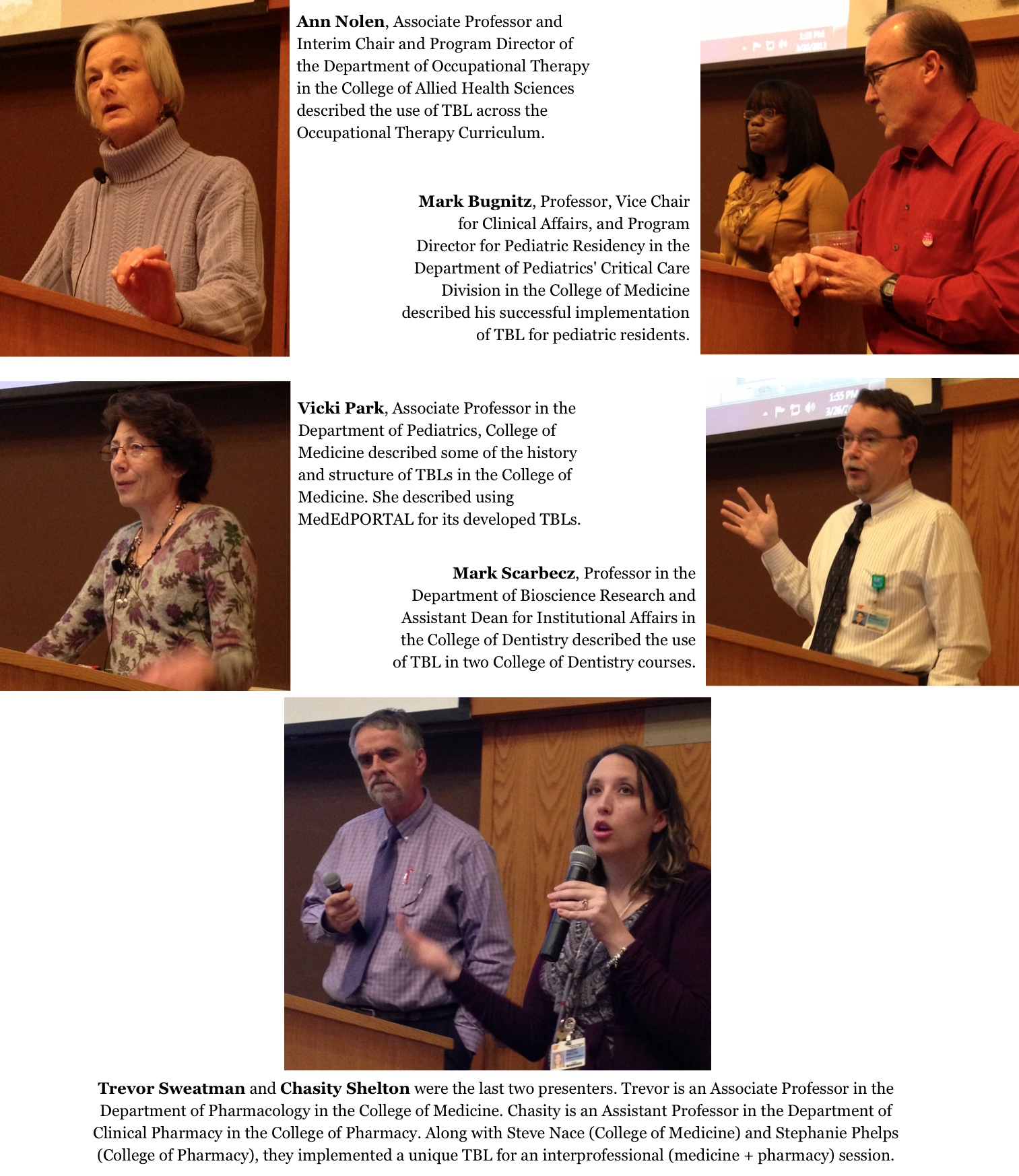
Faculty from 3 colleges presented on the use of TBL with specific courses and groups of learners, from 1st year through residency training. Access the MediaSite recording of the college presentations here.

TBL-session-presentations

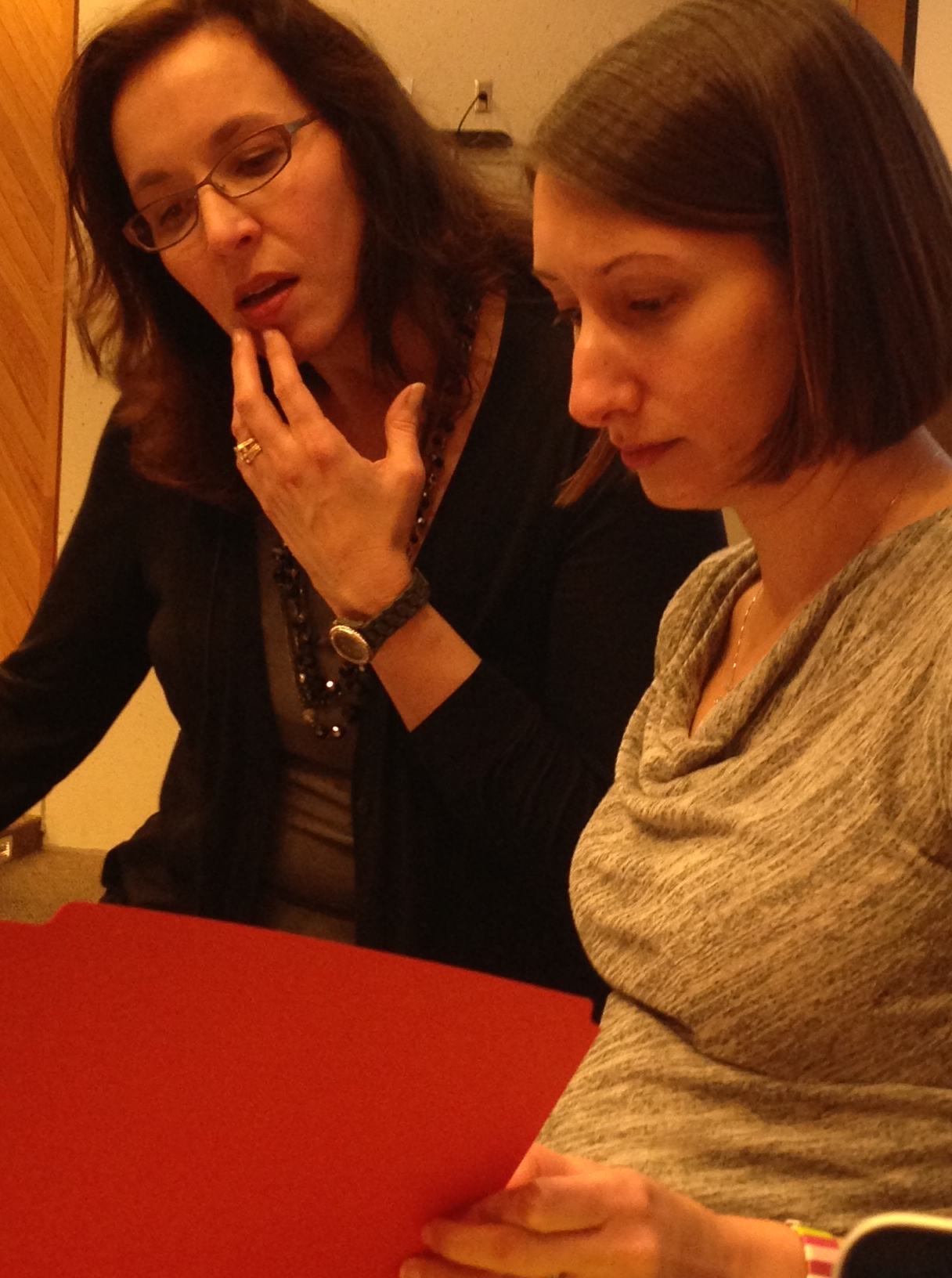
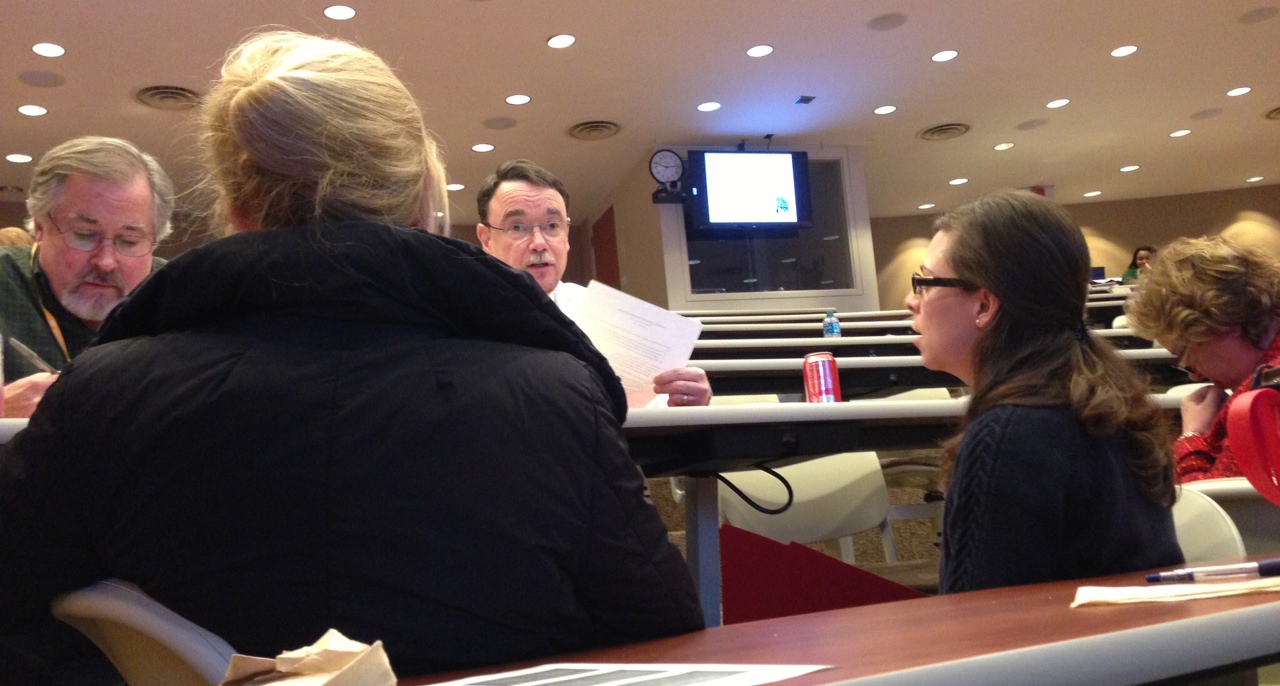
After our college presenters, the workshop facilitators took over and led a dynamic, interactive, team-based learning session. Below you’ll see pictures of groups working on the Individual Readiness Assessment Test (IRAT) and the Team Readiness Assessment Test (TRAT).

IRAT

TRAT

Our Memphis faculty thank Drs. Frank and Farland for coming to Memphis on a cool Spring day!

Ideas coming out of this session included the need for sessions focused on:

  • using MedEdPORTAL
  • TBL 101
  • becoming a facilitator for TBL and not a lecturer

Spring into success with Team-Based Learning 2013

Join colleagues at the TBL workshop scheduled for Tuesday, March 26 from 12:30pm to 5:00pm, GEB A104. Click here to register for the session.

Previous UTHSC programming has focused on explaining team-based learning (TBL) and highlighting its benefits for application in health professions education. This workshop is designed for faculty currently using or implementing TBL, and extends beyond basic understanding of TBL methods.  Using a TBL structure, participants will be placed in teams to simulate the readiness assurance process and too discuss cases that address important TBL challenges such as peer evaluation, team assignment, team teaching, and facilitation skills.

Schedule:

12:30-1:00 Lunch

1:00-1:05 Welcome and Overview

1:05-2:20 This Works for Me / My TBL Experience

  • Mark Bugnitz – TBL in pediatric residency training
  • Ann Nolen – TBL in occupational therapy
  • Vicki Park – TBL in Medicine & published in MedEdPORTAL
  • Mark Scarbecz – TBL in dentistry
  • Trevor Sweatman & Chasity Shelton – TBL in an interprofessional session

2:20-2:30 Break

2:30-4:30 Workshop

  • Facilitators: Drs. Andrea Franks & Michelle Farland

4:30-5:00 Q&A / Wrap-Up / Discussion

Faculty who’ve tried TBL overwhelmingly stick with it because of how well it works for the type of content and students of today. Come learn more about TBL from and with your colleagues.

Team-based learning at Stanford.

Team-based learning at Stanford.

Riding the Storm: Improving Course Performance/Interaction through Analytics and Proactive Methods of Engagement

Today’s Friday Focus on e-Learning was a replay of a a session from the 18th annual Sloan Consortium Conference on Online Learning held in October 2012. The presenter was John Vivolo, Manager of Online Learning, Polytechnic Institute of New York University.

Most learning management systems (LMSs) can generate numbers that can be placed in spreadsheets to proactively make alterations in the course (as the course is taking place).

Reactive – make changes to a course AFTER poor student performance on an assignment/exam. Student evaluations are an example of reactive. Academic department evaluations are also typically reactive (done at end of semester).

Proactive – set up preventive measures prior to an assignment/exam. Time-based, Individual assignments/content, Discussion boards.

Interaction: student-student, student-faculty, student activities.

1. Time-based activity – days of the week, times of day, days of month. Can influence improvements in content availability, assignment due dates, virtual office hours, etc… When are students going in and doing activities in the course?

What is your goal?

  • To accommodate student schedules? To reach the class at peak activity? Solution: Make content available at the peak of activity or right beforehand.
  • To create an equal distribution of activity through the week? Solution: Make content available at the lowest point of activity. Global solution: Create an “Interaction policy” (proactive). This policy would refer to student & faculty interactions, as well as when students are expected to go in to get various items from the course (or complete specific activities).

2. Individual Assignments/Content: Hits – track how often students view a content item. Goal: Avoid a wait and see approach.

How to use the numbers of how many times students clicked on a podcast? If they are clicking on it a lot (far more than the # of students in the class) then it could indicate that they are having trouble with the content (don’t understand content).

If they’re clicking on content a LOT, then before moving on (or before the next exam) provide:

  • discussion board Q& A
  • create a review sheet
  • host a review webinar
  • create a non-graded quiz

If one student seems to be accessing the content over and above others, reach out to that specific student to see if s/he has questions.

3. Discussion boards – the most commonly used interactive tool. Purpose: simulate an in-class discussion but in an asynchronous method.

Common discussion board goal – create a discussion that remains a fluid conversation over the week.

Can create discussion board interaction policy – respond to initial question, post at least once before X day, may have more than one topic or thread, etc…

Alerts can be set in Blackboard:

  • attendance alerts – students/faculty don’t access course in X amount of time
  • assignment/content alerts – student does not access content or assignment
  • due date alerts – student has not submitted assignment (before/after) due date

Managers/Directors

  • can use analytics for online faculty oversight
  • data can be collected for faculty – are they interaction; what and how are they interacting

Q&A at end of session:

  1. Do faculty feed the analytics back to the students – “this is what I’m seeing” – Presenter recommends NOT to feed the analytics back to the students. He believes students will feel as if they are being watched.
  2. Who runs the analytics reports? The Manager of Online Learning runs them, distributes to faculty, and then faculty do what they will with the information.
  3. Is the Interaction Policy something that is set centrally (overall), by college or department or faculty? It’s variable.

How do YOU use analytics to assess performance and/or adjust your courses?
Curriculum Mapping in an Age of Competency-based Education

This International Association of Medical Science Educators (IAMSE) webinar was led by Sascha Benjamin Cohen and Chandler Mayfield. They were instrumental in the development of Ilios as a way to enhance their curriculum management project. Approximately 5 years ago Ilios was reconceptualized and made available for all health professions education/curriculum.

NOTE TO UTHSC READERS – The slides for the session were very good. Contact Cindy Russell from your uthsc.edu email address if you’d like a link to those slides. Since we are an institutional subscriber to the IAMSE webinar series we can share this information internally to UTHSC, but not to external individuals.

Visit http://iliosproject.org to learn more about Ilios.

A good point was made about Noise vs Data – and how a tendency among many of their faculty is to try and create relationships between and among a lot of the program and course data/outcomes. It is a continuing dialectic to help faculty understand the power within the system that allows it to be clearer and more expressive.

They have found points where the conceptual map corresponds with specific variables. They then put a constraint in at that point. Within a given course they don’t put in constraints as they assume there is a multiplicity of mechanisms for any given student to traverse and gain that outcome.

There is a need for strong curriculum governance in all of this. Use the data, get in front of the faculty, get buy-in across the curriculum with how the data are used. There’s a lot of business engineering processes that need to be used/planned for outside of Ilios. Any objectives are testable – so can’t put an objective on something if it won’t be ready to be assessed. Discussions about number of objectives – for a course is 62 enough or not enough?

The Medbiquitous Consortium is working to develop technology standards for health professions education. Check out their resources and site.

Ilios does not manage assessments and outcomes. Ilios is a curriculum engine. Assessments and outcomes come FROM the curriculum and are not part of the Ilios system. Reporting is done by combining outcomes with the curricular information. Ilios drives the activities VS capturing the activities.

Using Mobile Devices to Increase Productivity

Kristy Conger of the UTHSC Educational Technology team led today’s Mobile User Group (MUG) that was focused on using mobile devices to increase productivity. Highlights from the session are included below. Click MUG Notes_Feb2013 to view detailed notes from the session.

SlideShark – is a free app that can be used to connect your phone via bluetooth to an iPad that’s connected to a projection device such that you can control (advance) slides from your phone while you move about the room.

Trevor Sweatman uses an app where he can highlight on his mobile device and have it appear on projection screens. See the MUG Notes Feb 2013 link above for info on that app.

Evernote – a note-taking app. Can type in text to create notes on mobile device or desktop device. Can insert audio to notes. Can insert images as well as files into Evernote. Can geotag notes. FERPA & HIPAA materials should not go into Evernote, even if password-protected. Can have a free account or pay for a premium account. Can tag notes with keywords or places. Can copy information from websites directly into Evernote with browser plugin (web clipper).

Penultimate – allows handwritten notes. Has joined forces with Evernote. Can search handwritten text. A note can contain written text as well as images.

PaperPort Notes – originally called Noterize. Can import files and annotate/edit them with highlighting or notes. Can use speech to text recognition. Can be taking written notes and start recording audio – and when you start listening to the recording it takes you to the place in your notes where you were taking notes at the same time you turned on the audio recording. Can share notes – via Google Docs, Evernote, or Dropbox (can import notes FROM those locations to PaperPort Notes or export TO those locations). Can password-protect documents.

On the iTunes Store:

Other tips:

  • Use folders to organize apps.
  • For websites you use a lot, make the website  an icon for your mobile device screen.
  • Put the items you use most in the bar at the bottom of the screen.
  • Close out apps that you’re not using.

Apps that others use a lot:

Can use CoursEval and SurveyMonkey for survey completion on iDevices.