
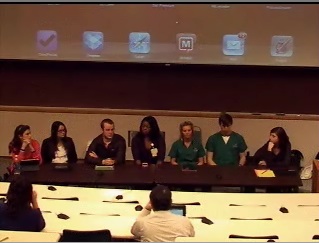
Student Panel for Tech Tuesday Mobile User Group (MUG) Meeting on January 24, 2012
Students from dentistry (Dory Sellers, Andy Thomasson), Medicine (Hannah Dudney, Lauren Lazar, Marissa Mencio), Nursing (Y’esha Weeks), and Pharmacy (Ryan Fowler) were panel presenters at The University of Tennessee Health Science Center’s Tech Tuesday Mobile User Group (MUG) meeting on January 24, 2012. They described their use of mobile devices for education, talked about what did and didn’t work for them, and reviewed apps they’ve found useful. Here’s a quick review of some of what they had to say with some links to apps that were described.
Apps used on a daily basis:
- Dropbox – syncs documents from PC or Mac and can pull those up on an iPad or iPhone. Can transfer files back and forth.
- Noterize (not currently available for download; another company took it over and it’s now called “PaperPort” and the feature set is different) and iAnnotate – editing PDFs. Download lectures and take notes on those. Can organize documents into folders (by class, by exam). Can use stylus to write/annotate or fingers.
- 2X client – to establish a remote desktop connection to access dental software (Axium). Can enter in treatments, access patient records, etc… Can use this to access from home also as long as you initiate a VPN connection. Can be used to establish a remote connection for any purpose, not just to access the dental software! There are other apps available that could do this, but this one works and it’s free!
- Micromedex (favorite app for pharmacology content – per a medicine student – has IV compatibility app, drug information app, and drug interactions app), Medscape, ePocrates, Lexicomp, Skyscape – drug reference, disease information. Some of these apps are very good because you can download the information and have it accessible even if you’re not on a WiFi network.
- Blackboard app – to access Blackboard sites.
- Flashcard apps – Flashcard Deluxe (demonstrated). You can include images, write/color, import from an Excel spreadsheet or a Word document. The students have “thousands and thousands” of flashcards they’ve developed through the years and are happy to share with other students. It’s not time-consuming to develop these flashcards almost instantaneously. Can link articles that are helpful for understanding specific content. For Flashcard Deluxe, they’re kept on a central server for 30 days; can be retained on your own computer. Can be private or generally available. Can create multiple choice questions. Can set a timer to keep you moving. One student likes to use this on a “play” feature – flashes through cards at whatever pre-set time frame you’d like and it automatically plays. The developer of Flashcard Deluxe is very available for questions and upgrades to his product. For ease of use in translating course material into flashcard format, one student takes notes in Excel in a 2-column format. Left column is the front side of the flashcard and the right column is the back side. Constantly questioning and it’s a better way of studying for me (as commented by one student).
- Electronic textbooks: Several students purchase textbooks and use those electronic versions. They liked the electronic versions better than paper copies of texts because they could get the books instantly and the books were then on their devices that were convenient and with them all the time. They also liked the electronic versions because you can search and find things very quickly, you can highlight passages, you can bookmark pages, and you can share notes with others. Some publishers also have question banks that are accessible to purchasers of the text books and those were seen as valuable. You can adjust text size, screen brightness, color of highlighting, etc… They use the Kindle and iBooks apps for reading their texts and for reading their PDF documents.
Question: How’s the price of the texts for mobile devices? You can’t resell them, right? Answer: They’re less expensive for mobile devices. It’s rare I can’t find an electronic version of a book that I want. Pharmacology question book was $17 and well worth it.
Assorted other apps that one or more of the students used include:
- Board prep apps
- DDS GP – excellent app for patient education and other practice-related information. Expensive! $399.99.
- Comitify – which is both a “to do” and reminder app, as well as an app that allows you to keep track of commitments that you make to others. The app can import contact lists so it’s easy to commit to others.
- NatureSpace – was mentioned by one student as a great app where if you’re in need of “white noise” while you study (for instance, if you’re in a coffee shop or at the airport), you can set it to make its’ sounds and blur out all but the studying!
- Leafsnap – was described as a fun app – take a picture of a leaf and have the plant/tree it came from identified.
- Calendaring apps, including Schelandars and Google calendar. Both allow for lots of individualization and customization. One dental student described putting the course and exam schedules into Google calendar and syncing updates from Google calendar to classmates’ calendars automatically.
- Students spoke of liking reminder apps, as they keep them focused on all the things they need to do. Re.minder – can be set to “bug you” and have it repeat until you’ve done it.
Apps not discussed but that some students indicated in an email they used:
- Wikipanion – a “companion” to wikipedia
- Procrastinator – helps one see where time is being spent (maybe unproductively!)
- Pages, Numbers, Keynote – the Mac version of Microsoft Office
Things the students wished worked better or differently included:
- Dentistry classes sometimes have Blackboard tests within a lecture class. If using Respondus LockDown Browser for a test, cannot use a mobile device. They ask that, as teachers, please be mindful of what does/doesn’t work on mobile devices.
Question: With using mobile devices for learning, is there research that shows how quickly graduates adapt and/or how well they retain what they’ve learned? Answer: Some early studies that focused on the ease of use/access of information via these devices and how learning to use them translated to clinical practice. Not much that anyone has seen regarding higher-level outcomes.
Comments and “other” stuff:
- My studying has greatly improved – because I always have access to what I need when I need it.
- Nursing students created a video to help others learn how to use apps to manage chronic diseases. Access this YouTube video by clicking here!
Question: Do you use an external (Bluetooth) keyboard or the keyboard on the device? Answer: Most indicated they didn’t use the external keyboard. Many use the stylus to write on the PDF document.
Question: Considering the costs, is it worth it to use the mobile device for your textbooks? Answer: I’d pay more if I had to so that I could get the text for a mobile device – not DOUBLE the cost, but I’d pay more for the convenience of having the text with me.
Question: Does everyone use the iPad? Answer: Some classmates use non-Apple devices. Most of the general apps are available for the most popular mobile devices.
This was a GREAT panel! Faculty and staff in attendance really enjoyed hearing the realities of how these devices are used. Thanks to everyone for attending and for the students for being there!
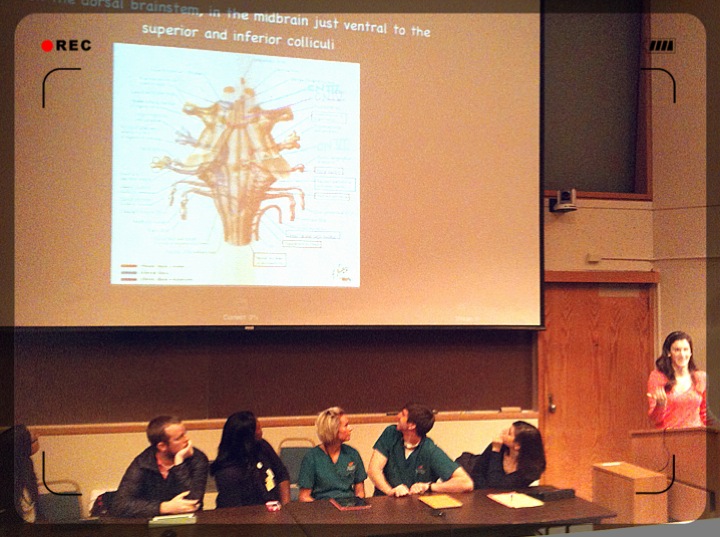
2nd year Medical student Marissa Mencio shows an example of using Flashcards Deluxe on the iPad.
Image attribution – image @ top of page snagged from Mediasite recording of the student panel. Image @ bottom of page taken by Lin Wu during the student panel presentation.
 UTHSC's Teaching & Learning Center
Thanks for summarizing this and making it available for future reference. I appreciate the students sharing these great ideas and resources. Really great stuff.
Hope the dialog will continue.