TurningPoint Cloud Upgrade

To all Current and Potential Users of TurningPoint Technologies (clicker technology). 

Action is required. 

During the week of June 27th to July 1st, UTHSC podia was updated to TurningPoint Cloud. Information Technology Systems (ITS) also replaced receivers and updated the podium computers with Windows 10 and Microsoft Office 2016.

Faculty and Students must be ready to use TurningPoint Cloud prior to the first day of class.  The Teaching & Learning Center (TLC) will provide training, tutorials, an up-to-date website, ongoing communication and support in the use of TurningPoint Cloud.

Continue reading

Changing Perspective: Using Student Voices to Advance Learning Technology

At today’s Friday Focus on e-Learning, we took a moment to reflect on the 2012 ECAR Study of Undergraduate Students and Information Technology. This is a replay of a Feb. 2012 session from the EDUCAUSE Learning Institute (ELI) conference, of which UTHSC was a virtual participant.

Since 2004, ECAR has surveyed undergraduate students annually about technology in higher education. In 2012, ECAR collaborated with 195 institutions to collect responses from more than 100,000 students about their technology experiences. The findings are distilled into the broad thematic message for institutions and educators to balance strategic innovation with solid delivery of basic institutional services and pedagogical practices and to know students well enough to understand which innovations they value the most.

Access a wealth of information about the 2012 and prior years’ ECAR Study reports here.

Various bits & pieces:

  • 74% of students say they’ve taken a course with one or more online components
  • 16% of students say they skip classes when course lectures are available online
  • 54% of students say they are more actively involved in courses that use technology
  • 55% of students say they wish their instructors used more simulations/educational games
  • 57% of students wish instructors would use more online open educational resources
  • 86% of students own laptops
  • 62% of students own smartphones
  • 33% of students own desktops
  • 15% of students own tablets
  • 12% of students own e-Readers

Important to do from a mobile device:

  • 66% access course website or syllabi
  • 64% using course or learning management systems

Platforms students are using:

  • 77% laptops; 20% macs
  • 44% iphone, 46% Android
  • 57% iPad

75% of students say that technology helps them achieve their academic outcomes

importance of various devices to academic success (the top 3):

  • laptop 85%
  • printer 84%
  • thumb drive 68%

Percentage of students who use the resources now as compared to 2010:

  • 7x as many students using e-portfolios
  • 5x as many students use web-based citation/bib tools
  • 3x as many students used e-books

Technology literacy isn’t innate

  • 66% of students surveyed in the US say they agree/strongly agree they’re prepared to use technology upon entering college/university
  • 64% say it’s very/extremely important to be trained
  • most students say that they get info from instructors on how to use technology

57% of students say they like to keep academic and social lives separate

53% of students say to use F2F interaction more

Key Findings for 2012

See the report for a full list key messages, findings, and supporting data.

  • Blended-learning environments are the norm; students say that these environments best support how they learn and best engage them.
  • Students want to access academic progress information and course material via their mobile devices, and institutions deliver.
  • Technology training and skill development for students is more important than new, more, or “better” technology.
  • Students use social networks for interacting with friends more than for academic communication.

ECAR Recommends these Actionable Results

See the 2012 report for a full list of actionable results.

  • Look to emerging or established leaders (other institutions, other countries, other industries) for strategies to deliver instruction and curricular content to tablets and smartphones. Learn from their exemplary strategies for IT support and security with student devices as well as planning, funding, deploying, and managing instructional technologies, services, and support.
  • Prioritize the development of mobile-friendly resources and activities that students say are important: access to course websites and syllabi, course and learning management systems, and academic progress reports (i.e., grades).
  • Bridge the gap between the technologies that have seen the greatest growth (e-portfolios, e-books/e-textbooks, and web-based citation/bibliographic tools) and students’ attitudes about their importance. Focus training/skill-building opportunities for students, professional development opportunities for faculty, and support service opportunities on these emerging technologies.
  • Use e-mail and the course and learning management system for formal communication with students. Experiment with text messaging and instant messaging/online chatting, and don’t focus efforts on using social networks and telephone conversations to interact with students.

Team 2 – UTHSC Health Care Challenge 2012 – PASS

PASS = Promoting an Alliance of Students and Seniors

Dr. Stokes and Rosemary Batorski were the faculty advisors of this team that has medical, dentistry, and pharmacy students.

The team’s overall goal is to engage senior companions with students to improve quality of life. MIFA was recognized as being uniquely able to assist with social and financial difficulties, with UTHSC being uniquely qualified to contribute to senior companions’ healthcare.

The purpose of the team is to become health advocates for senior companions. Interdisciplinary teams of UTHSC students will work together with senior companions (one team per one senior companion) to either have a friendly relationship with students or to partner together to overcome healthcare barriers. Proposal to meet quarterly after an initial baseline assessment as the companion enters the program.

The main goal of PASS is to keep the companion engaged as a companion to serve MIFA clients. The team described potential benefits to MIFA companions as well as to the students – both interdisciplinary and intradisciplinary benefits. The team has reached out to the Christian Mobile Dental Clinic and have considered partnering with students in the Southern College of Optometry to further integrate healthcare.

Great quote by Oscar Wilde to end the presentation: The only thing to do with good advice is to PASS it on. It is never of any use to oneself.

Great judge questions and comments about literacy levels, companions feeling “overwhelmed” with a large number of students, team makeup to reflect diversity.

Team 1 of UTHSC’s Health Care Challenge 2012

Project SAFE – 1st team to present – Dr. Leslie McKeon (faculty advisor) – team members from medicine, dentistry, pharmacy

Discussed the importance of treating periodontitis for senior companions – aim to reach 80% of senior companions.

Recommendations: A 4-step project called STEM (screen, treat, evaluate, monitor)

In the screening step, would also provide education on prevention, symptoms, proper brushing habits & techniques. Want to reinforce proper behaviors that MIFA senior companions already do, along with informing them about new behaviors that could be helpful to introduce.

Christian Mobile Dental Clinic – the UT College of Dentistry already has an agreement with the CMDC, a project of Bellevue Baptist Church, in place for students to practice in an outreach setting. There is already an agreement in place between the Christian Mobile Dental Clinic, UT College of Dentistry, and the Dental Hygiene program in the College of Allied Health Sciences.

Resources needed include: students, faculty, toothpaste/toothbrushes/floss, fluoride treatment, personal protective equipment (PPE), BP cuffs, flashlights, mobile dental clinic.

Thanks to the judges who were very engaged in the presentation and who asked some excellent questions.

Health Science Center Students share their experiences using mobile devices for education

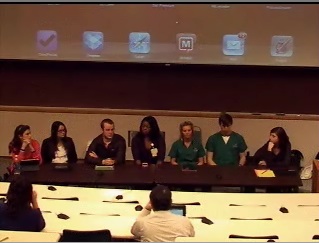
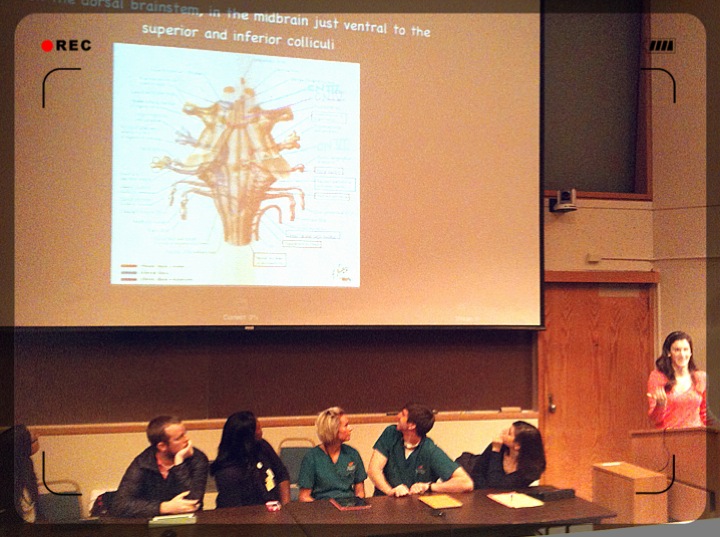
Student Panel for Tech Tuesday Mobile User Group (MUG) Meeting on January 24, 2012

Students from dentistry (Dory Sellers, Andy Thomasson), Medicine (Hannah Dudney, Lauren Lazar, Marissa Mencio), Nursing (Y’esha Weeks), and Pharmacy (Ryan Fowler) were panel presenters at The University of Tennessee Health Science Center’s Tech Tuesday Mobile User Group (MUG) meeting on January 24, 2012. They described their use of mobile devices for education, talked about what did and didn’t work for them, and reviewed apps they’ve found useful. Here’s a quick review of some of what they had to say with some links to apps that were described.

Apps used on a daily basis:

  • Dropbox – syncs documents from PC or Mac and can pull those up on an iPad or iPhone. Can transfer files back and forth.
  • Noterize (not currently available for download; another company took it over and it’s now called “PaperPort” and the feature set is different) and iAnnotate – editing PDFs. Download lectures and take notes on those. Can organize documents into folders (by class, by exam). Can use stylus to write/annotate or fingers.
  • 2X client – to establish a remote desktop connection to access dental software (Axium). Can enter in treatments, access patient records, etc… Can use this to access from home also as long as you initiate a VPN connection. Can be used to establish a remote connection for any purpose, not just to access the dental software! There are other apps available that could do this, but this one works and it’s free!
  • Micromedex (favorite app for pharmacology content – per a medicine student – has IV compatibility app, drug information app, and drug interactions app), Medscape, ePocrates, Lexicomp, Skyscape – drug reference, disease information. Some of these apps are very good because you can download the information and have it accessible even if you’re not on a WiFi network.
  • Blackboard app – to access Blackboard sites.
  • Flashcard apps – Flashcard Deluxe (demonstrated). You can include images, write/color, import from an Excel spreadsheet or a Word document. The students have “thousands and thousands” of flashcards they’ve developed through the years and are happy to share with other students. It’s not time-consuming to develop these flashcards almost instantaneously. Can link articles that are helpful for understanding specific content. For Flashcard Deluxe, they’re kept on a central server for 30 days; can be retained on your own computer. Can be private or generally available. Can create multiple choice questions. Can set a timer to keep you moving. One student likes to use this on a “play” feature – flashes through cards at whatever pre-set time frame you’d like and it automatically plays. The developer of Flashcard Deluxe is very available for questions and upgrades to his product. For ease of use in translating course material into flashcard format, one student takes notes in Excel in a 2-column format. Left column is the front side of the flashcard and the right column is the back side. Constantly questioning and it’s a better way of studying for me (as commented by one student).
  • Electronic textbooks: Several students purchase textbooks and use those electronic versions. They liked the electronic versions better than paper copies of texts because they could get the books instantly and the books were then on their devices that were convenient and with them all the time. They also liked the electronic versions because you can search and find things very quickly, you can highlight passages, you can bookmark pages, and you can share notes with others. Some publishers also have question banks that are accessible to purchasers of the text books and those were seen as valuable. You can adjust text size, screen brightness, color of highlighting, etc… They use the Kindle and iBooks apps for reading their texts and for reading their PDF documents.

Question: How’s the price of the texts for mobile devices? You can’t resell them, right? Answer: They’re less expensive for mobile devices. It’s rare I can’t find an electronic version of a book that I want. Pharmacology question book was $17 and well worth it.

Assorted other apps that one or more of the students used include:

  • Board prep apps
  • DDS GP – excellent app for patient education and other practice-related information. Expensive! $399.99.
  • Comitify – which is both a “to do” and reminder app, as well as an app that allows you to keep track of commitments that you make to others. The app can import contact lists so it’s easy to commit to others.
  • NatureSpace – was mentioned by one student as a great app where if you’re in need of “white noise” while you study (for instance, if you’re in a coffee shop or at the airport), you can set it to make its’ sounds and blur out all but the studying!
  • Leafsnap – was described as a fun app – take a picture of a leaf and have the plant/tree it came from identified.
  • Calendaring apps, including Schelandars and Google calendar. Both allow for lots of individualization and customization. One dental student described putting the course and exam schedules into Google calendar and syncing updates from Google calendar to classmates’ calendars automatically.
  • Students spoke of liking reminder apps, as they keep them focused on all the things they need to do. Re.minder – can be set to “bug you” and have it repeat until you’ve done it.

Apps not discussed but that some students indicated in an email they used:

Things the students wished worked better or differently included:

  • Dentistry classes sometimes have Blackboard tests within a lecture class. If using Respondus LockDown Browser for a test, cannot use a mobile device. They ask that, as teachers, please be mindful of what does/doesn’t work on mobile devices.

Question: With using mobile devices for learning, is there research that shows how quickly graduates adapt and/or how well they retain what they’ve learned? Answer: Some early studies that focused on the ease of use/access of information via these devices and how learning to use them translated to clinical practice. Not much that anyone has seen regarding higher-level outcomes.

Comments and “other” stuff:

  • My studying has greatly improved – because I always have access to what I need when I need it.
  • Nursing students created a video to help others learn how to use apps to manage chronic diseases. Access this YouTube video by clicking here!

Question: Do you use an external (Bluetooth) keyboard or the keyboard on the device? Answer: Most indicated they didn’t use the external keyboard. Many use the stylus to write on the PDF document.
Question: Considering the costs, is it worth it to use the mobile device for your textbooks? Answer: I’d pay more if I had to so that I could get the text for a mobile device – not DOUBLE the cost, but I’d pay more for the convenience of having the text with me.
Question: Does everyone use the iPad? Answer: Some classmates use non-Apple devices. Most of the general apps are available for the most popular mobile devices.

This was a GREAT panel! Faculty and staff in attendance really enjoyed hearing the realities of how these devices are used. Thanks to everyone for attending and for the students for being there!

2nd year Medical student Marissa Mencio shows an example of using Flashcards Deluxe on the iPad.

Image attribution – image @ top of page snagged from Mediasite recording of the student panel. Image @ bottom of page taken by Lin Wu during the student panel presentation.

Information from Privacy & Security Risks in Higher Ed EDUCAUSE Data Privacy Month webinar

As the 2nd webinar in Data Privacy Month, this EDUCAUSE webinar focused on Privacy and Security Risks in Higher Ed on January 10, 2012. Learn more about Data Privacy at educause.edu/policy/dataprivacy

The archived recording, slides, and transcript of the webinar that launched data privacy month is available here: http://www.educause.edu/policy/dataprivacy

The webinar archive from today’s session is located at http://www.educause.edu/Resources/PrivacyandSecurityRisksinHighe/243679

Solove founded TeachPrivacy that provides education, training, and advice to help schools protect privacy, minimize data security breaches, and deal with online social media issues. Check out the quick video about TeachPrivacy and Education here.

Today’s presenter is one of the world’s leading experts on privacy laws and the Founder, TeachPrivacy, http://teachprivacy.com – Professor Daniel J. Solove – George Washington University Law School

Privacy goes way beyond FERPA. It also includes alumni data, donor data, employee data, cyberbullying, electronic devices, confidentiality, websites, computer use policy, data retention, surveillance, online gossip, data security.

Handling FERPA is just one part of a much larger set of issues when it comes to privacy.

Can a single policy address all the privacy concerns? Solove says it should be looked at holistically to have everyone on the same page; it’s the most effective way (having a unified holistic program throughout the entire institution); the challenge is how institutions of higher ed are structured.

Federal Privacy laws relevant to schools:

  • FERPA
  • computer fraud and abuse act
  • communications decency act
  • gramm-leach-bliley act
  • no child left behind act
  • title IX
  • clery act
  • electronic communications privacy act
  • HIPAA privacy rule

The above are just the federal laws – but there are also a variety of state laws that are applicable, depending on where the institution resides.

Privacy problems in higher ed

  • fragmented protections
  • undetected problems
  • lack of coordination
  • lack of oversight
  • lack of training
  • lack of student education and awareness

http://www.symantec.com/content/en/us/about/media/pdfs/symantec_ponemon_data_breach_costs_report.pdf
The above link takes you to a report entitled “2010 Annual Study: U.S. Cost of a Data Breach – Compliance pressures, cyber attacks targeting sensitive data drive leading IT organizations to respond quickly and pay more.” It is a benchmark study of 51 U.S. companies about the financial impact, customer turnover and preventive solutions related to breaches of sensitive information with a March 2011 publication date; Copyright Symantec

From the above report: “The average organizational cost of a data breach this year increased to $7.2 million, up 7 percent from $6.8 million in 2009.”

privacy = nontechnical aspects of security (how are people trained; what are the policies for different things)
security = technology
Solove views data security as a subset of privacy
data security = protecting information from being lost, stolen, or improperly accessed
privacy = how data is managed or used or stored

Why does privacy matter?

  • legal compliance
  • reputation
  • financial costs of incidents
  • student well-being
  • employee well-being
  • donor and alumni well-being
  • time and resources
  • soured relationships

You can have the best technology for security, but the human element can quickly cause a breach – carelessness (for example)

Training and Education needs:

  • Privacy and Data Security Awareness
  • FERPA
  • Online Social Media
  • Privacy in the Digital Age

He mentioned a book, and said it was a very interesting and informative read, entitled “Ghost in the Wires: My Adventures as the World’s Most Wanted Hacker” written by Kevin Mitnick – here’s a link to an excerpt
http://www.wired.com/threatlevel/2011/08/kevin-mitnick-excerpt/

He believes that people who have access to or who could take copies of lots of data should be required to undergo specific training.

Student Privacy in Peril: Massive Data Gathering With Inadequate Privacy and Security
Posted: 12/19/11
http://huffingtonpost.com/daniel-j-solove/student-privacy-in-peril-_b_1156907.html
Solove comments on a breach of privacy in the Department of Education servers that allowed the social security numbers, bank routing numbers, and borrowing history of thousands of college students to be exposed and open to anyone on the Internet for a period of time. In this article from the Huffington Post, Solove comments that:

…the Department of Education’s mishandling of personal student financial data in this latest data breach proves that we should be wary of how the Department will utilize this type of data in the future. Maybe it is time to reevaluate the ED’s rush to have enormous quantities of student data collected and disseminated. There are certainly problems with our educational system, and there is nothing inherently wrong with wanting to gather more data about this system. But it is irresponsible to do so when the ED and the other entities that collect and maintain the data are ill-equipped to safeguard privacy and provide appropriate data security. The entire FERPA legal structure is inadequate. Before racing to gather so much personal data, ED should ensure that the appropriate privacy and data security reforms are in place to protect that data. Otherwise, in its zeal to solve some problems with the educational system, the ED might be opening up an enormous and greater problem, putting all students at serious risk.

An audience member in the session commented about “You are what you tweet” reputation management sessions by Amber MacArthur
Article: http://www.fastcompany.com/1805231/u-r-what-u-tweet-5-steps-to-a-better-personal-brand

In honor of Data Privacy Month, you can download Matt Ivester’s book (lol…OMG!) for FREE! Just visit this link between 12:01 am on Jan. 27th and 11:59 pm on Jan. 30th. http://bit.ly/AFe8pr
Matt Ivester is the speaker for the January 30 session.

Cartoon: Big Data

Image attribution: Image copied by C Russell 20120111 // Photo of Cartoon: Big Data // Photo provided by Space & Light http://www.flickr.com/photos/t_gregorius/5839399412/  // Some rights reserved by Space & Light http://creativecommons.org/licenses/by-nc-nd/2.0/deed.en

ECAR National Study of Undergraduates & Information Technology 2011

The audio recording, slides and transcript are available at http://www.educause.net/Archives/2719

Important resources about the study are located at http://www.educause.edu/Resources/ECARNationalStudyofUndergradua/238012 – includes the full report, a slide deck, an infographic, and survey questions.

In this study, the objectives included:

  1. assess student OWNERSHIP and USE of technology
  2. explore how EFFECTIVELY students, instructors, & institutions use t echnology
  3. gauge students’ technology PERCEPTIONS and PREFERENCES

145 institutions participated in the 2011 study. In addition they used a national sample of undergraduates drawn from a consumer panel.

Key findings:

  1. students are drawn to HOT TECHNOLOGIES but rely on more traditional devices
  2. students recognize MAJOR ACADEMIC BENEFITS of technology
  3. students report UNEVEN PERCEPTIONS of institutions and instructors on technology
  4. Facebook-generation students juggle personal and academic interactions
  5. students prefer, and say they learn more, in classes with online components

Finding #1:

What percentage of students said they own an iPad? 8%, 12%, 23%, 37%
Correct answer: 8% of students own an iPad
This is in contrast to 43% of college presidents who report they own an iPad

Students prefer SMALL, MOBILE devices, such as laptop (87%), printer, DVD players, USB thumbdrives, WiFi, Stationary gaming device, iPod, HDTV, digital camera, webcam, desktop computer, handheld gaming device, netbook (11%), iPad (8%).

EXTREMELY VALUABLE for academic success:

  • laptop 81%
  • wifi 51% (and more were listed – get that from the slides)

Core software is essential – word processing, presentation software, spreadsheets – BUT MANY STUDENTS SAY THEY LACK SKILLS to use the particular software (again, get from slides) – library and course management systems are highly used.

Students at community colleges are more likely to own STATIONARY technologies
Students at institutions that award masters and doctoral degrees are more likely to own PORTABLE technologies

Finding #2:

The major benefits of technology for academic success include:
52% – gives me access to resources and progress reports
44% – makes me more productive
35% – helps me feel connected
33% – makes learning more engaging and relevant

Top 5 softwares that are extremely valuable in students’ academic success:

  1. word processors
  2. email
  3. presentation software
  4. course management software
  5. library software

What percentage of students in the study said they use their smartphones for academics? 22%, 37%, 53%, 76%
Correct answer: 37%

Smartphones are used for a variety of academic activities:

  • 66% email professors
  • 62% check grades
  • 45% have used smartphones to look up something on the Internet during class

Top 5 reasons Smartphones are used:

  1. email professors
  2. check grades
  3. texting other students about coursework
  4. looking up information on the Internet outside of class
  5. emailing other students about coursework

Value anytime, anywhere access – laptop and wifi
WiFi is an expectation, NOT a privilege

Wished instructors used more (top 3):

  1. email 39%
  2. course management systems 32%
  3. eTexts 33%

Key Finding #3

Opportunities for improvement include:
15% report technology is broken when attempting to use it in classrooms
1 in 4 strongly agree that institutions use technology effectively
43% of all students agree their institution needs MORE TECHNOLOGY

Students like basic online services at their institutions – % of students who say their institution does an excellent or good job at these online services:
course registration 86%
making grades available 81%
offering library resources 75% – DOCTORAL
making transcripts available 70% – DOCTORAL
making financial aid information available 70% – DOCTORAL
offering textbooks for sale 53%

Effective use of technology by instructors:
19% of students say instructors use technology effectively
20% of students say instructors use technology frequently enough
51% of students think they know more about how to use technology than their professors
31% think the instructor often requires the help of others to get technology up and running successfully

Key Finding #4

What percentage of students said it was appropriate for an instructor to “friend” them on Facebook? 97%, 64%, 31%, 14%
Correct answer: 31%
NOTE: Did not ask about students friending instructors; didn’t ask about difference in current or past instructor friending them.

Frequency of use for school or personal purposes (these are the top 5 communication tools used)

  1. email: 99% (75% several times a day)
  2. text message: 93% (74% several times a day)
  3. use Facebook: 90% (56% several times a day)
  4. download or stream web-based videos (YouTube, etc.): 85%
  5. read wikis (Wikipedia, course wiki, etc..): 85%

Social networking information:
students prefer to keep academic life and social life separate
students see email as a formal mechanism of communication
class online discussion boards are better for helping students connect with other students about coursework than a social network

Key Finding #5

58% of students report they learn most when there are some online components in courses
13% prefer an option to choose online components

Preferred learning environment (top 3)

  1. seminars & other smaller classes with some online components (36%)
  2. classes that give the option the use as many or as few online components as I need to (22%)
  3. large lecture classes with some online components (16%)

The one website that students can’t live without: Google!

11 Recommendations from the 2011 ECAR study

  1. investigate your student’s technology needs and create an action plan
  2. provide professional development opportunities and incentives
  3. enhance or expand students’ involvement in technology planning and decision-making
  4. meet students’ expectations for WiFi access anytime
  5. join the consumer migration to e-content
  6. support students’ use of core productivity software and applications (email, Word, Excel, library sites, course management systems)
  7. make more and better use of technologies that students value
  8. use technology in more transformative ways (participatory, higher level teaching and learning)
  9. give students different options for interacting with the institution and instructors
  10. move strategically toward blended/hybrid learning environments; have more and different ways for students to meet their learning needs
  11. establish or refine social media policies including how students use social media to enhance their academic and learning experiences