At TEDMED 2009, David Blaine describes his preparation for, and success and failure in, holding his breath for 17 minutes. A.M.A.Z.I.N.G.
Watch the video, then join UTHSC on April 10-13 for more inspiring talks in TEDMEDLive 2012.
At TEDMED 2009, David Blaine describes his preparation for, and success and failure in, holding his breath for 17 minutes. A.M.A.Z.I.N.G.
Watch the video, then join UTHSC on April 10-13 for more inspiring talks in TEDMEDLive 2012.
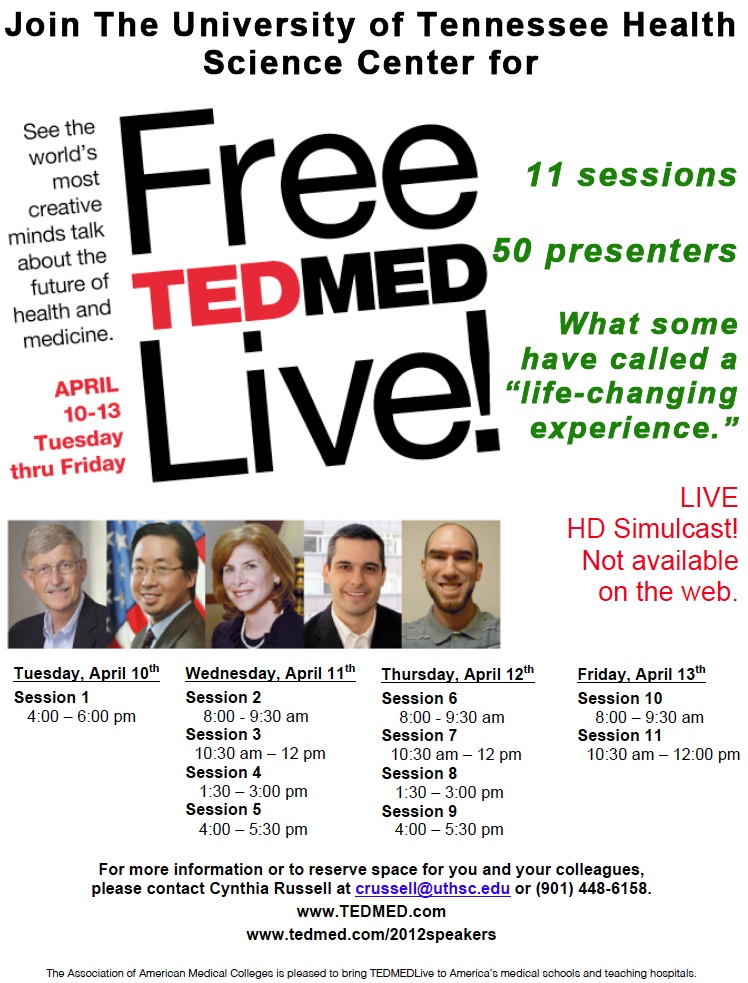
Answer: They’re the 5 latest speakers added to the TEDMEDLive 2012 lineup.
Join us at The University of Tennessee Health Science Center on Tuesday April 10 through Friday April 13 as we pull down the HD Simulcast of TEDMEDLive.


We had a great turnout for February’s MUG meeting. The informality was great and several people shared favorite apps, did a spontaneous show and tell of some of their favorite apps, and responded to audience questions. We think we captured most of the discussion below but if you’ve got things to add, leave a comment!
Some other apps discussed during the session included:
There was a little something for everyone who attended. We hope this listing offers you something helpful.

Image attribution: Image entitled “Cirque Du Soleil ‘O'” by Adria Richards, taken on Sept. 18, 2009 and obtained from flickr at http://www.flickr.com/photos/adriarichards/3933525114/ under a Creative Commons Attribution-ShareAlike 2.0 Generic license.
NOTE: Plan to attend the Intro to Prezi session scheduled for Monday, Feb. 13, 2012, from 2-3pm in GEB A302. You’ll hear from Constance Tucker, Educational Coordinator in Student Academic Support Services, Richard Magid, Vice President of the University of Tennessee Research Foundation, and Paul Stumpf, Professor, Program Director & Chair of Obstetrics & Gynecology at Chattanooga, about their use of Prezi. They’ll do a show and tell of what they’ve done, what worked well, what didn’t work as well as hoped for, and their recommendations for use.
When used correctly, PowerPoint can be a fine addition to a presentation. Most of us, though, have experienced Death by PowerPoint. This is a painful and annoying experience!
Enter a relatively new Web 2.0 tool that’s a cross between slides and a whiteboard: Prezi.
Prezi aims to make sharing ideas more interesting. Curiosity is a goal. That could be a very positive thing!
Features of Prezi include:
But, is Prezi really useful for doing anything but fancy zooms and offering people the opportunity to skip around in a presentation? Here’s a recent blog post that illustrates the use of Prezi in conveying mathematical ideas and describes some principles for the use of Prezi.
Prezi examples you might find of interest:
Some detailed “how to” sites to get you up and running on Prezi a bit faster with less frustration – from various sources.
When you are welcomed to Prezi after subscribing, their introductory email has lots of great resources, including learning how to make a great Prezi by the company’s co-founder; exploring what other Prezi users are making; support manual; and support channels.
Prezi offers a free webinar every Thursday at 11am CST. Register here to receive details.
Prezi U is Prezi’s educational community. Join that community to learn and share best practices using Prezi in education, meet other educators, see top University Prezis and more.
Other links of interest:
Make plans to join colleagues on Monday, Feb. 13, 2012 from 2-3pm in GEB A302 for an Introduction to Prezi session that will increase your knowledge about Prezi and help you make an informed decision as to using Prezi in your future PREZIntations!
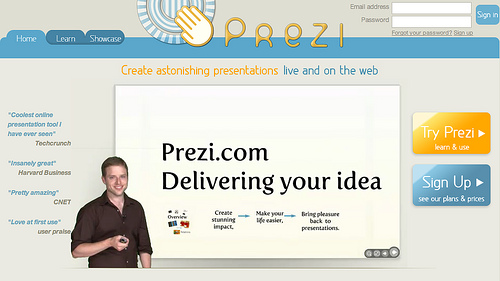
Image Attribution: Image from flickr, uploaded by Edd Dumbill with a Creative Commons Attribution-NonCommercial-ShareAlike 2.0 Generic license. Downloaded by Cynthia Russell on 20120208.
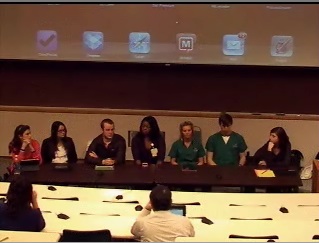
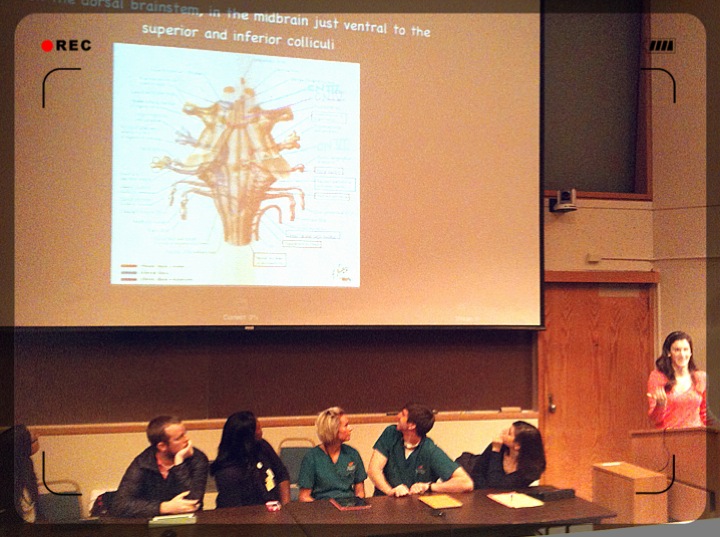
Student Panel for Tech Tuesday Mobile User Group (MUG) Meeting on January 24, 2012
Students from dentistry (Dory Sellers, Andy Thomasson), Medicine (Hannah Dudney, Lauren Lazar, Marissa Mencio), Nursing (Y’esha Weeks), and Pharmacy (Ryan Fowler) were panel presenters at The University of Tennessee Health Science Center’s Tech Tuesday Mobile User Group (MUG) meeting on January 24, 2012. They described their use of mobile devices for education, talked about what did and didn’t work for them, and reviewed apps they’ve found useful. Here’s a quick review of some of what they had to say with some links to apps that were described.
Apps used on a daily basis:
Question: How’s the price of the texts for mobile devices? You can’t resell them, right? Answer: They’re less expensive for mobile devices. It’s rare I can’t find an electronic version of a book that I want. Pharmacology question book was $17 and well worth it.
Assorted other apps that one or more of the students used include:
Apps not discussed but that some students indicated in an email they used:
Things the students wished worked better or differently included:
Question: With using mobile devices for learning, is there research that shows how quickly graduates adapt and/or how well they retain what they’ve learned? Answer: Some early studies that focused on the ease of use/access of information via these devices and how learning to use them translated to clinical practice. Not much that anyone has seen regarding higher-level outcomes.
Comments and “other” stuff:
Question: Do you use an external (Bluetooth) keyboard or the keyboard on the device? Answer: Most indicated they didn’t use the external keyboard. Many use the stylus to write on the PDF document.
Question: Considering the costs, is it worth it to use the mobile device for your textbooks? Answer: I’d pay more if I had to so that I could get the text for a mobile device – not DOUBLE the cost, but I’d pay more for the convenience of having the text with me.
Question: Does everyone use the iPad? Answer: Some classmates use non-Apple devices. Most of the general apps are available for the most popular mobile devices.
This was a GREAT panel! Faculty and staff in attendance really enjoyed hearing the realities of how these devices are used. Thanks to everyone for attending and for the students for being there!
2nd year Medical student Marissa Mencio shows an example of using Flashcards Deluxe on the iPad.
Image attribution – image @ top of page snagged from Mediasite recording of the student panel. Image @ bottom of page taken by Lin Wu during the student panel presentation.
UTHSC has a license for Respondus, Respondus LockDown Browser, StudyMate and StudyMate Class. Click on any of the links to learn more about these products.
We have several monthly sessions scheduled for you to learn more about these products in case you don’t know about them or how to use them.
 Great news! You have access to the Respondus Test Bank Network that includes 25 publishers, 4,000 official test banks, and over 8 million questions! The test banks are in a ready-to-use format for Respondus 4.0 and StudyMate users. There is no additional charge to use the test bank network – it’s free for instructors who adopt a participating textbook for their class.
If you go to the Respondus Test Bank Network, you can do a search for publisher test banks. You’re able to search on:
Head over and try it. If you find something that you’d like to access, you’ll submit a request to access the file (to make sure you’re a faculty member and not a student!) and then be able to download the test file to use as you’d like in your courses. It integrates easily with Blackboard … so let us help you try it!
As the 2nd webinar in Data Privacy Month, this EDUCAUSE webinar focused on Privacy and Security Risks in Higher Ed on January 10, 2012. Learn more about Data Privacy at educause.edu/policy/dataprivacy
The archived recording, slides, and transcript of the webinar that launched data privacy month is available here: http://www.educause.edu/policy/dataprivacy
The webinar archive from today’s session is located at http://www.educause.edu/Resources/PrivacyandSecurityRisksinHighe/243679
Solove founded TeachPrivacy that provides education, training, and advice to help schools protect privacy, minimize data security breaches, and deal with online social media issues. Check out the quick video about TeachPrivacy and Education here.
Today’s presenter is one of the world’s leading experts on privacy laws and the Founder, TeachPrivacy, http://teachprivacy.com – Professor Daniel J. Solove – George Washington University Law School
Privacy goes way beyond FERPA. It also includes alumni data, donor data, employee data, cyberbullying, electronic devices, confidentiality, websites, computer use policy, data retention, surveillance, online gossip, data security.
Handling FERPA is just one part of a much larger set of issues when it comes to privacy.
Can a single policy address all the privacy concerns? Solove says it should be looked at holistically to have everyone on the same page; it’s the most effective way (having a unified holistic program throughout the entire institution); the challenge is how institutions of higher ed are structured.
Federal Privacy laws relevant to schools:
The above are just the federal laws – but there are also a variety of state laws that are applicable, depending on where the institution resides.
Privacy problems in higher ed
http://www.symantec.com/content/en/us/about/media/pdfs/symantec_ponemon_data_breach_costs_report.pdf
The above link takes you to a report entitled “2010 Annual Study: U.S. Cost of a Data Breach – Compliance pressures, cyber attacks targeting sensitive data drive leading IT organizations to respond quickly and pay more.” It is a benchmark study of 51 U.S. companies about the financial impact, customer turnover and preventive solutions related to breaches of sensitive information with a March 2011 publication date; Copyright Symantec
From the above report: “The average organizational cost of a data breach this year increased to $7.2 million, up 7 percent from $6.8 million in 2009.”
privacy = nontechnical aspects of security (how are people trained; what are the policies for different things)
security = technology
Solove views data security as a subset of privacy
data security = protecting information from being lost, stolen, or improperly accessed
privacy = how data is managed or used or stored
Why does privacy matter?
You can have the best technology for security, but the human element can quickly cause a breach – carelessness (for example)
Training and Education needs:
He mentioned a book, and said it was a very interesting and informative read, entitled “Ghost in the Wires: My Adventures as the World’s Most Wanted Hacker” written by Kevin Mitnick – here’s a link to an excerpt
http://www.wired.com/threatlevel/2011/08/kevin-mitnick-excerpt/
He believes that people who have access to or who could take copies of lots of data should be required to undergo specific training.
Student Privacy in Peril: Massive Data Gathering With Inadequate Privacy and Security
Posted: 12/19/11
http://huffingtonpost.com/daniel-j-solove/student-privacy-in-peril-_b_1156907.html
Solove comments on a breach of privacy in the Department of Education servers that allowed the social security numbers, bank routing numbers, and borrowing history of thousands of college students to be exposed and open to anyone on the Internet for a period of time. In this article from the Huffington Post, Solove comments that:
…the Department of Education’s mishandling of personal student financial data in this latest data breach proves that we should be wary of how the Department will utilize this type of data in the future. Maybe it is time to reevaluate the ED’s rush to have enormous quantities of student data collected and disseminated. There are certainly problems with our educational system, and there is nothing inherently wrong with wanting to gather more data about this system. But it is irresponsible to do so when the ED and the other entities that collect and maintain the data are ill-equipped to safeguard privacy and provide appropriate data security. The entire FERPA legal structure is inadequate. Before racing to gather so much personal data, ED should ensure that the appropriate privacy and data security reforms are in place to protect that data. Otherwise, in its zeal to solve some problems with the educational system, the ED might be opening up an enormous and greater problem, putting all students at serious risk.
An audience member in the session commented about “You are what you tweet” reputation management sessions by Amber MacArthur
Article: http://www.fastcompany.com/1805231/u-r-what-u-tweet-5-steps-to-a-better-personal-brand
In honor of Data Privacy Month, you can download Matt Ivester’s book (lol…OMG!) for FREE! Just visit this link between 12:01 am on Jan. 27th and 11:59 pm on Jan. 30th. http://bit.ly/AFe8pr
Matt Ivester is the speaker for the January 30 session.

Image attribution: Image copied by C Russell 20120111 // Photo of Cartoon: Big Data // Photo provided by Space & Light http://www.flickr.com/photos/t_gregorius/5839399412/ // Some rights reserved by Space & Light http://creativecommons.org/licenses/by-nc-nd/2.0/deed.en
At UTHSC we have several programs and courses that are offered either fully online or offered in a hybrid format. Note: Hybrid = a blend of in-class and online activities.
A key question that repeatedly arises is whether the fully online and/or hybrid courses are “as good as” general face-to-face courses. This translates to a question of effectiveness of instruction, with the need to compare various forms of learning.
For those of you with questions, have a look at the report entitled “Evaluation of Evidence-Based Practices in Online Learning: A Meta-Analysis and Review of Online Learning Studies” that was published in Sept. 2010 by the U.S. Department of Education’s Office of Planning, Evaluation, and Policy Development Policy and Program Studies Service.
The bottom line of the report:
The meta-analysis found that, on average, students in online learning conditions performed modestly better than those receiving face-to-face instruction.
Four research questions guided the research:
What did they do to get to the bottom line?Researchers systematically searched the research literature from 1996 through July 2008 to identify relevant and usable studies for a meta-analysis. From the more than 1,000 empirical studies of online learning identified, researchers found 45 usable studies and a total of 50 independent effects that could be subjected to meta-analysis.
Their key findings included:
When the researchers conducted a narrative review of experimental and quasi-experimental studies that contrasted different online learning practices, the majority of studies suggested:
The researchers offered caveats to their findings that included:
What have your experiences been as instructor or student in online/hybrid courses? When you access a copy of the report, do the findings ring true to you?

Image attribution: Image copied by C Russell 20120105 // Photo of 7.365_todd_takes_a_class // Photo provided by Todd Morris http://www.flickr.com/photos/alohateam/4253713645/ // Some rights reserved by Todd Morris http://creativecommons.org/licenses/by-nc-nd/2.0/deed.en
 UTHSC's Teaching & Learning Center